 Snipocket
 · Guides · Search PDF & Office content
Search PDFs, Word & Excel alongside your screenshots
In shortWork rarely lives in screenshots alone — quotes arrive as PDFs, terms in Word docs, totals in spreadsheets. Drag those working files onto Snipocket's Shelf and it indexes their body text locally right alongside your screenshots. Search one keyword and pull up every matching image and document in one place.
Core features free forever · Pro free for 7 days · No account · Mac 9.5 MB · Windows 122 MB
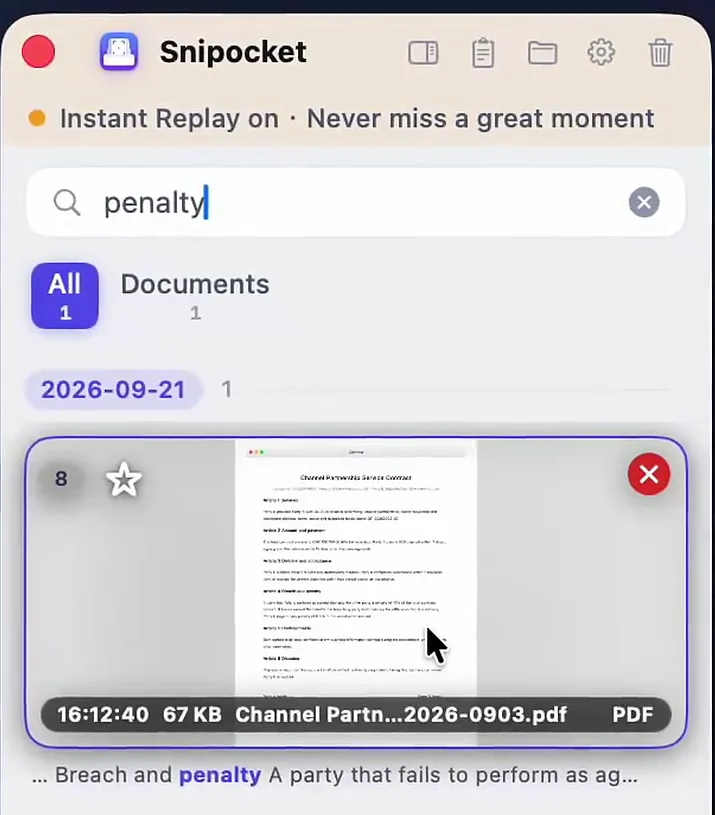
One Shelf for working files and captures
Supported formats & limits
- Documents: PDF, Word (.docx), Excel (.xlsx), PowerPoint (.pptx), plain text, Markdown and code files.
- 80+ shelved types: archives and design files can also sit on the Shelf for quick drag-out reuse.
- Local-only: all extraction and indexing stay on your computer; certificate/key files (.pem, .key, .pfx) are never read.
FAQ
What file types can Snipocket search?
PDF, Word (.docx), Excel (.xlsx), PowerPoint (.pptx), plain text, Markdown, JSON, CSV and common code files — over 80 file types can be shelved alongside your screenshots.
Does it scan my whole hard drive?
No. Snipocket only indexes files and screenshots you place on the Shelf. It never crawls your entire disk or uploads files to any server.
What files are skipped for security?
Sensitive key and certificate formats such as .pem, .key and .pfx are never read for indexing, and executables like .dmg or .exe are not added to the Shelf.
Is document search free or Pro?
Viewing and dragging files on the Shelf works after the trial, while on-device body-text indexing and search for PDF and Office documents are Pro features (7-day free trial, then $15 one-time for up to 3 devices).
Related
See how screenshot and video frame search works, or compare Snipocket with CleanShot X.
Stop digging through Downloads and Desktop.
Core features free forever · Pro free for 7 days · One-time purchase · No account