 Snipocket
Snipocket · CleanShot X alternative
A CleanShot X alternative that finds your screenshots
In shortCleanShot X is a polished Mac tool for taking, annotating and sharing screenshots. Snipocket focuses on what happens after: every capture — from CleanShot, the system shortcut or Snipocket itself — lands on a Shelf at the edge of your screen, and the text inside it is recognized on your computer. Days later, type a few words you remember and it's back. It also runs on Windows, so it works as a CleanShot-style tool there too. Keep CleanShot and add Snipocket, or use Snipocket on its own.
Core features free forever · Pro free for 7 days · No account · Mac 9.5 MB · Windows 122 MB
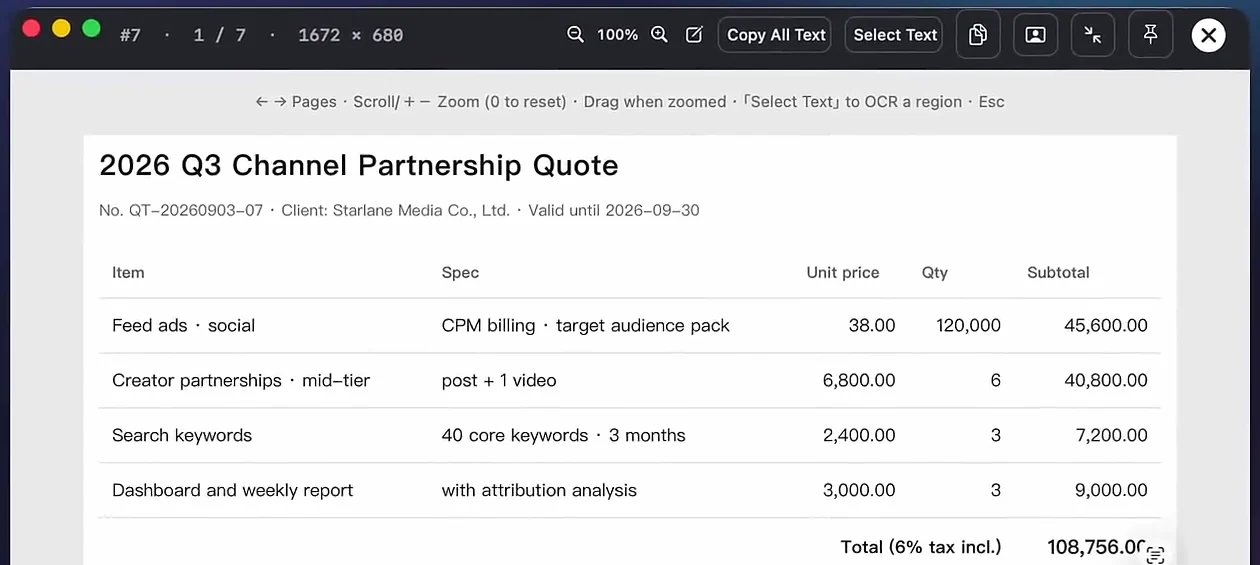
Real app, English interface: a screenshot found by searching “quote”, opened full size.
CleanShot X and Snipocket side by side
| CleanShot X | Snipocket | |
|---|---|---|
| Platforms | Mac (macOS 13.0+) | Mac (macOS 13+) and Windows 10 1809+ / 11 |
| Price | $35 one-time for one Mac, includes one year of updates; Cloud Pro $10 per user / month, billed annually | Core features free forever; Pro $15 one-time for up to 3 devices, Mac and Windows mixed |
| Search screenshots by their content | Listed as a CleanShot Cloud feature (captures stored in the cloud) | On-device and offline, including text in screen recordings and PDF / Office files |
| Capture history | Up to 1 month | Latest 500 items by default (adjustable); favorites are never auto-cleaned |
| Cloud share links | Yes | No — Snipocket has no cloud; drag the file into a chat or email |
CleanShot X details are taken from cleanshot.com (pricing and features pages) as of October 2026 and may change — check their site for current terms.
Which one fits you
- You mainly capture, mark up and share links on a Mac — CleanShot X is great at that; Snipocket's capture and annotation are free if you want to compare.
- Your screenshots pile up and you can't find last week's one — Snipocket: auto-collect plus search by the text inside.
- You'd rather nothing leaves your computer — Snipocket indexes and searches entirely offline.
- You work on Windows, or on both Mac and Windows — Snipocket runs on both with one license for up to 3 devices.
Use them together in three steps
What finding looks like
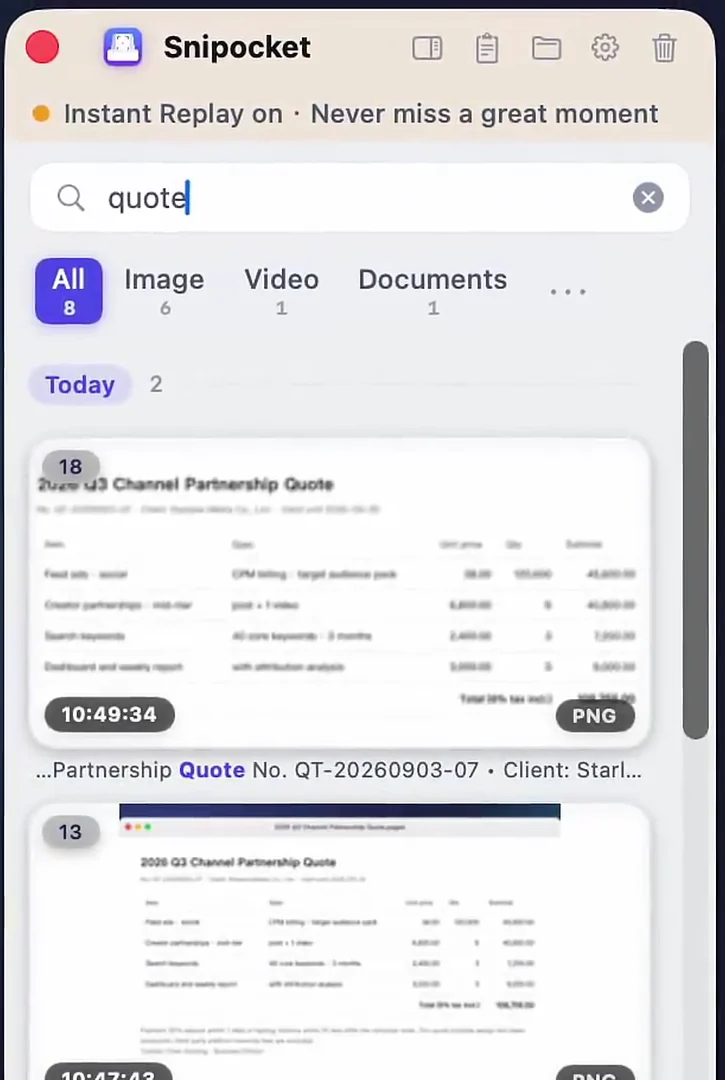
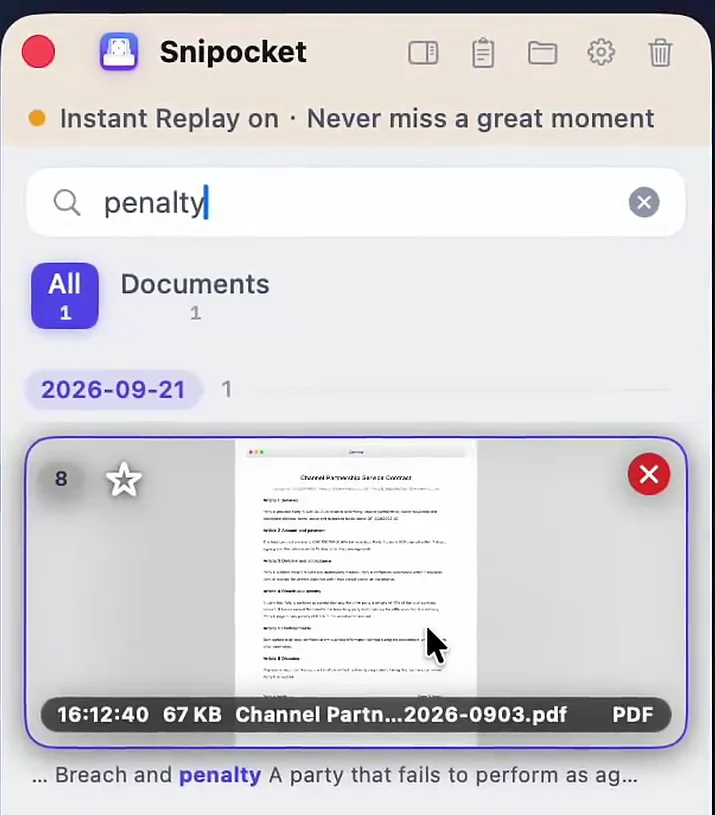
More detail in the guide How to search the text inside your screenshots.
Good to know
- Hotkeys: Snipocket captures with F1 by default. If another app already uses a shortcut, Snipocket tells you so you can change one.
- Runs in the background: it needs to stay running to collect and index. Quiet mode stops the panel from popping up after each capture.
- Download size: about 9.5 MB on Mac; about 122 MB on Windows because the recognition engine is bundled, so there's nothing else to download.
- Old screenshots: only items on the Shelf are searchable — drag older images in to index them.
FAQ
Can I keep using CleanShot X alongside Snipocket?
Yes. When CleanShot X (or any other tool) copies a capture to the clipboard, Snipocket collects it onto the Shelf, where it becomes searchable by its text. The only thing to watch is hotkeys: if two apps want the same shortcut, Snipocket warns you and you change one of them.
Is there a CleanShot X for Windows?
CleanShot X is a Mac app — its site lists macOS 13.0 or newer and no Windows version. Snipocket runs on both Mac and Windows, and one Personal license covers up to 3 devices in any mix.
Are my screenshots uploaded anywhere?
No. Snipocket has no cloud: collecting, text recognition, search and redaction all run on your computer, and no account is needed.
How much does Snipocket cost?
Capturing, annotating, pinning, copying and saving are free forever. Pro features — search by the text inside images, auto-collect, recording, redaction and more — have a 7-day free trial, then Personal is $15 one-time for up to 3 devices. No subscription.
Capture with anything. Find it with Snipocket.
Core features free forever · Pro free for 7 days · One-time purchase · No account